Support for Multiple Regions
The trainer completes the preparation of the standalone environment.
-
The trainer clicks Action, then chooses to "clone to another server".
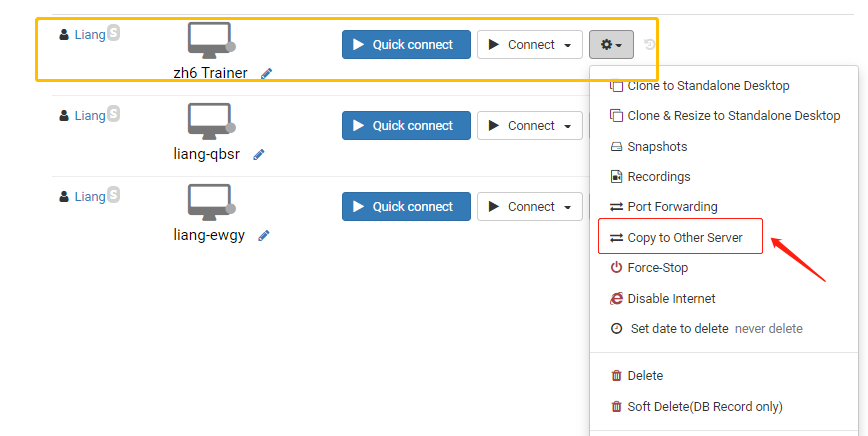
-
Choose the server delegates needed to ensure a fast connection.
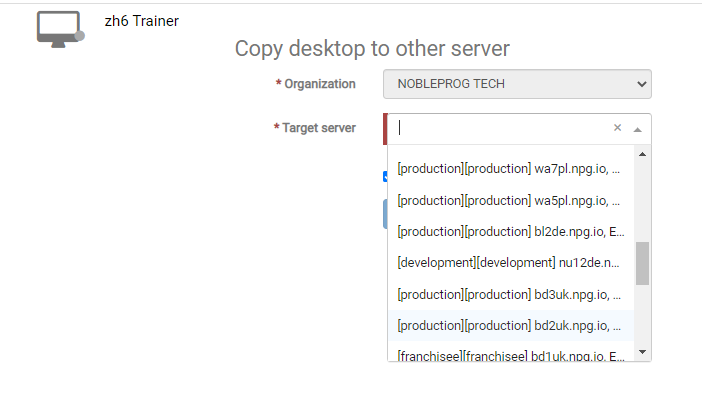
-
Return to the course Desktops, select "clone from standalone" to clone the appropriate servers
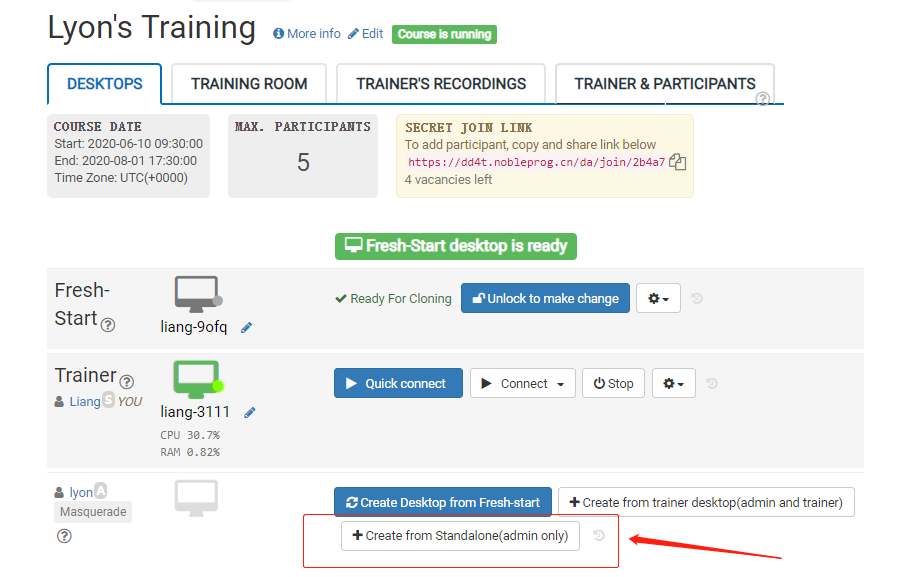
- Delegates can use the DaDesktop (Virtual Machine) based on the fastest connection from their locations in China.