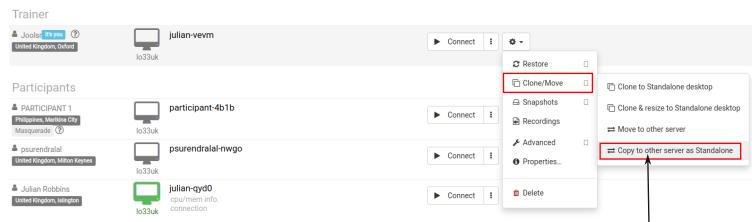
As soon as the preparation wraps up, halt the standalone desktop first. Click on the action menu and pick "Copy to other server"
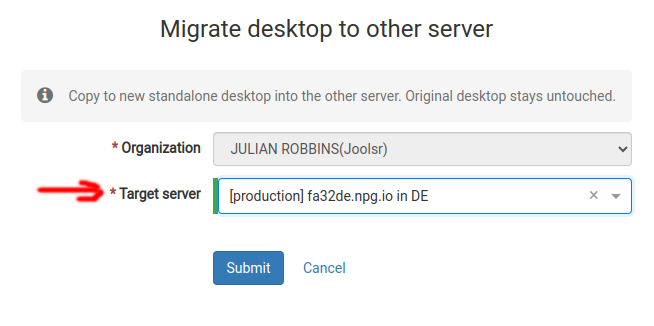
Choose the "Target server" you'd like to copy your work to. Should the server be located at a considerable distance from your current spot, a warning will let you know. A new Standalone then gets created in China – keeping the same content but with a different name or location